Onboard
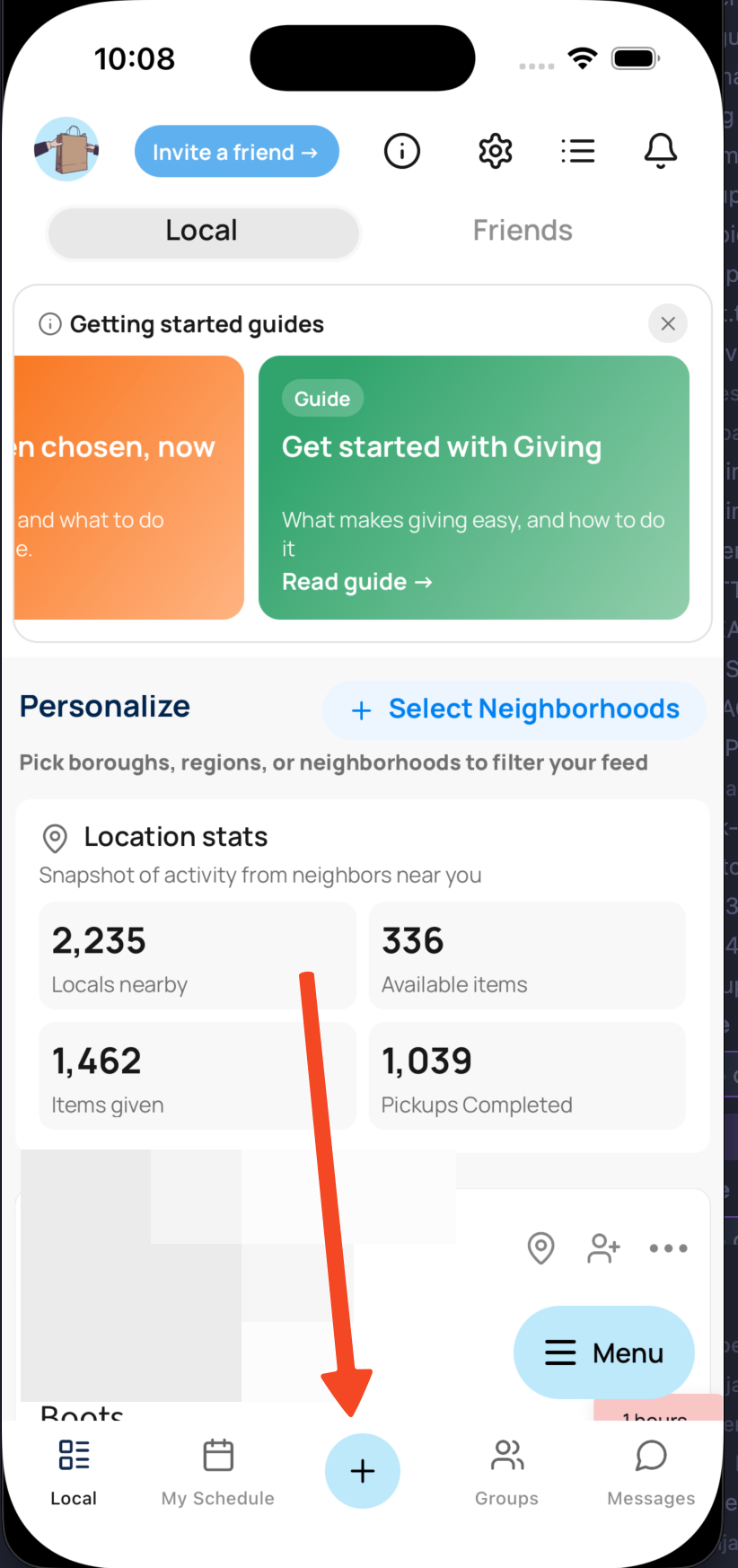
- Tap the blue + button
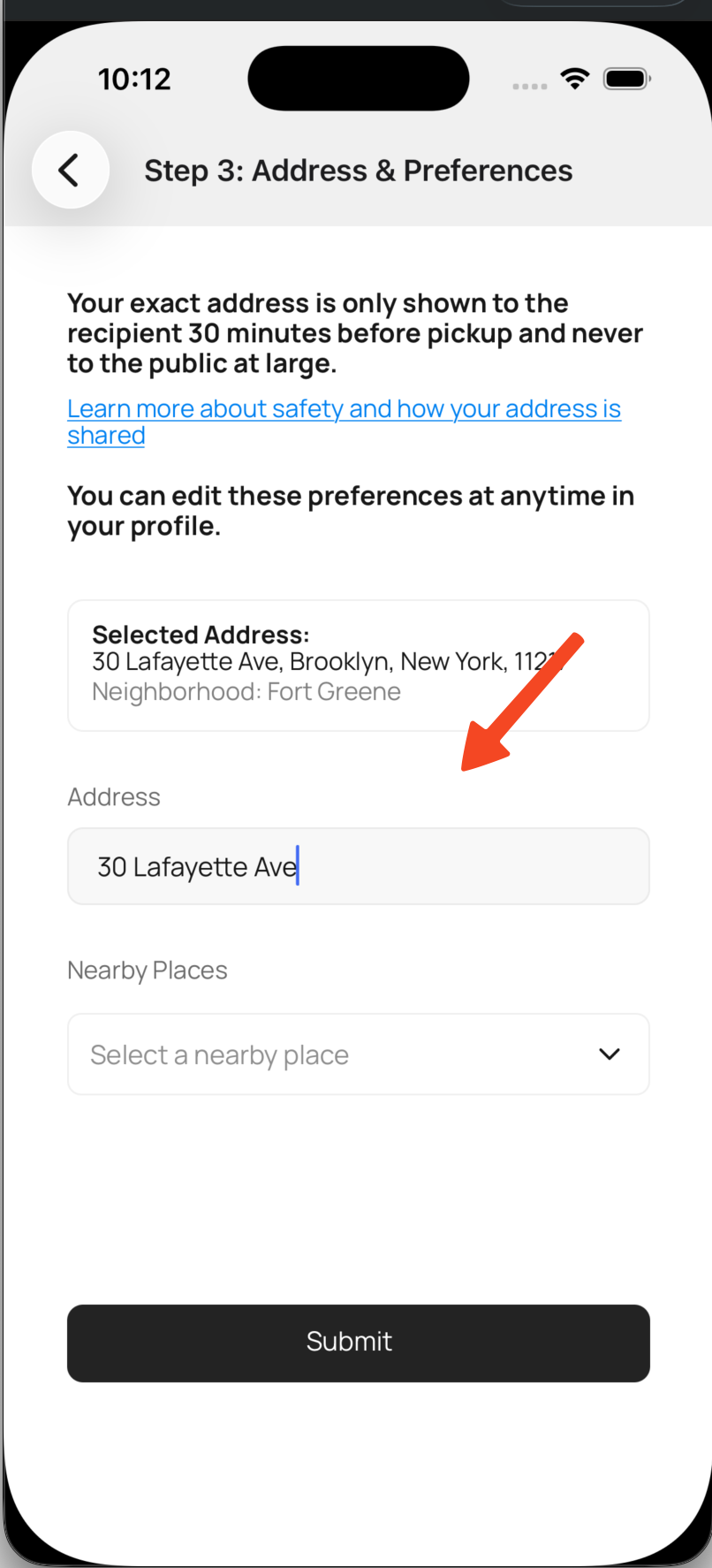
- Enter your address.
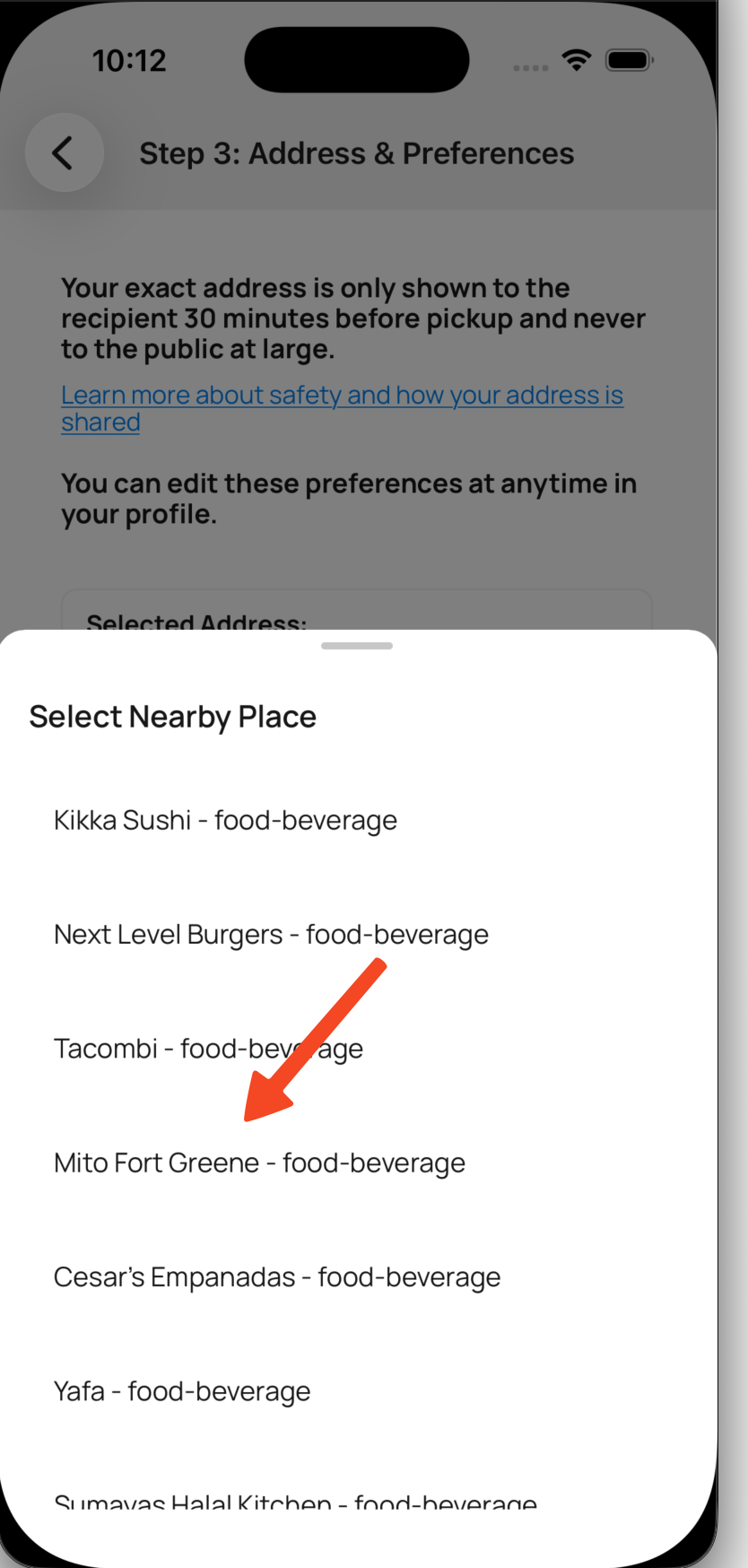
- Select a public landmark. This is how recipients can tell around where you live, without giving your actual address to them. If a recipient knows you're close by, they're much more likely to follow through on the pickup.
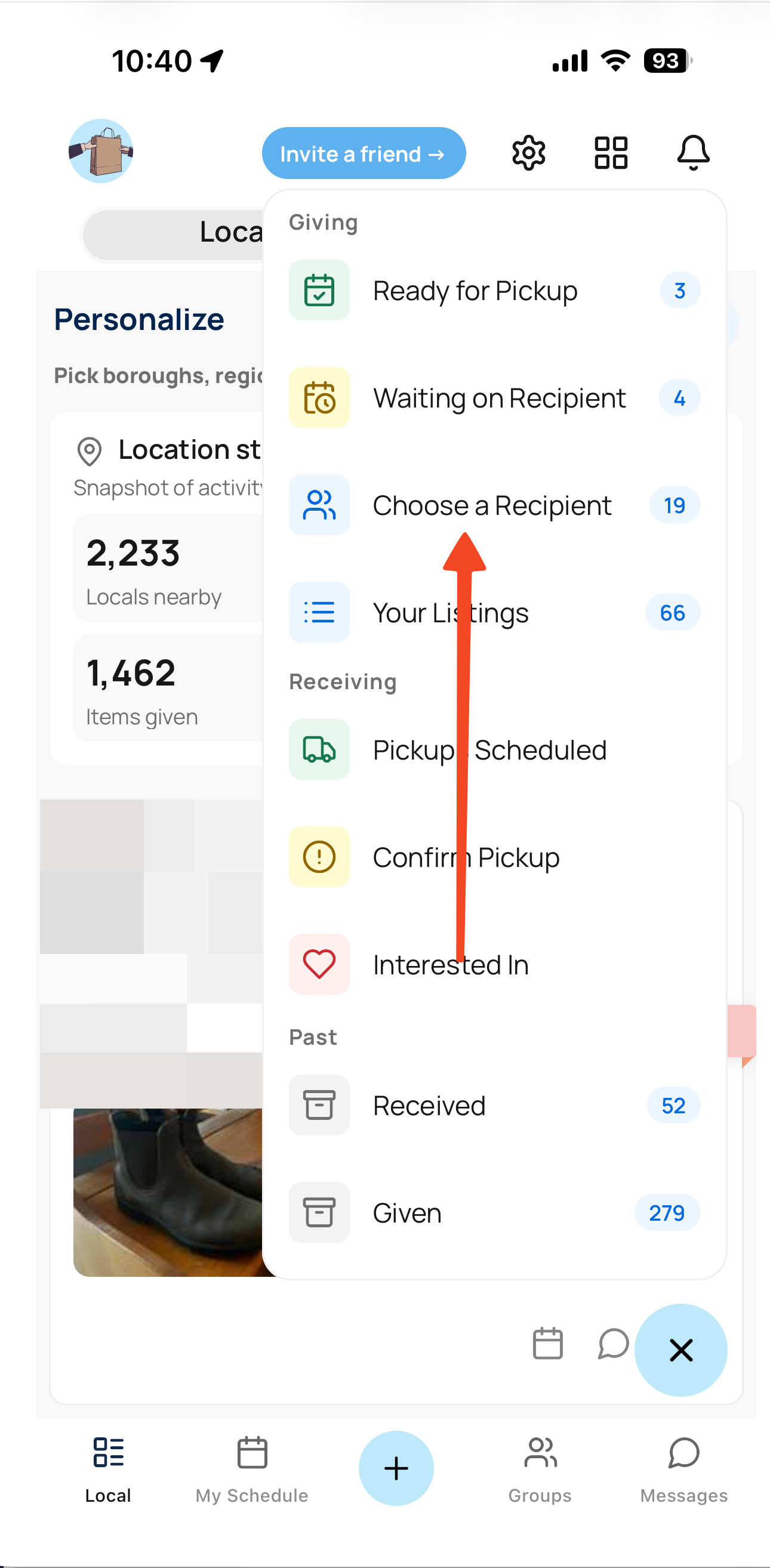
Choose a recipient
- Tap the choose recipient button
- toggle a recipient using the switch button
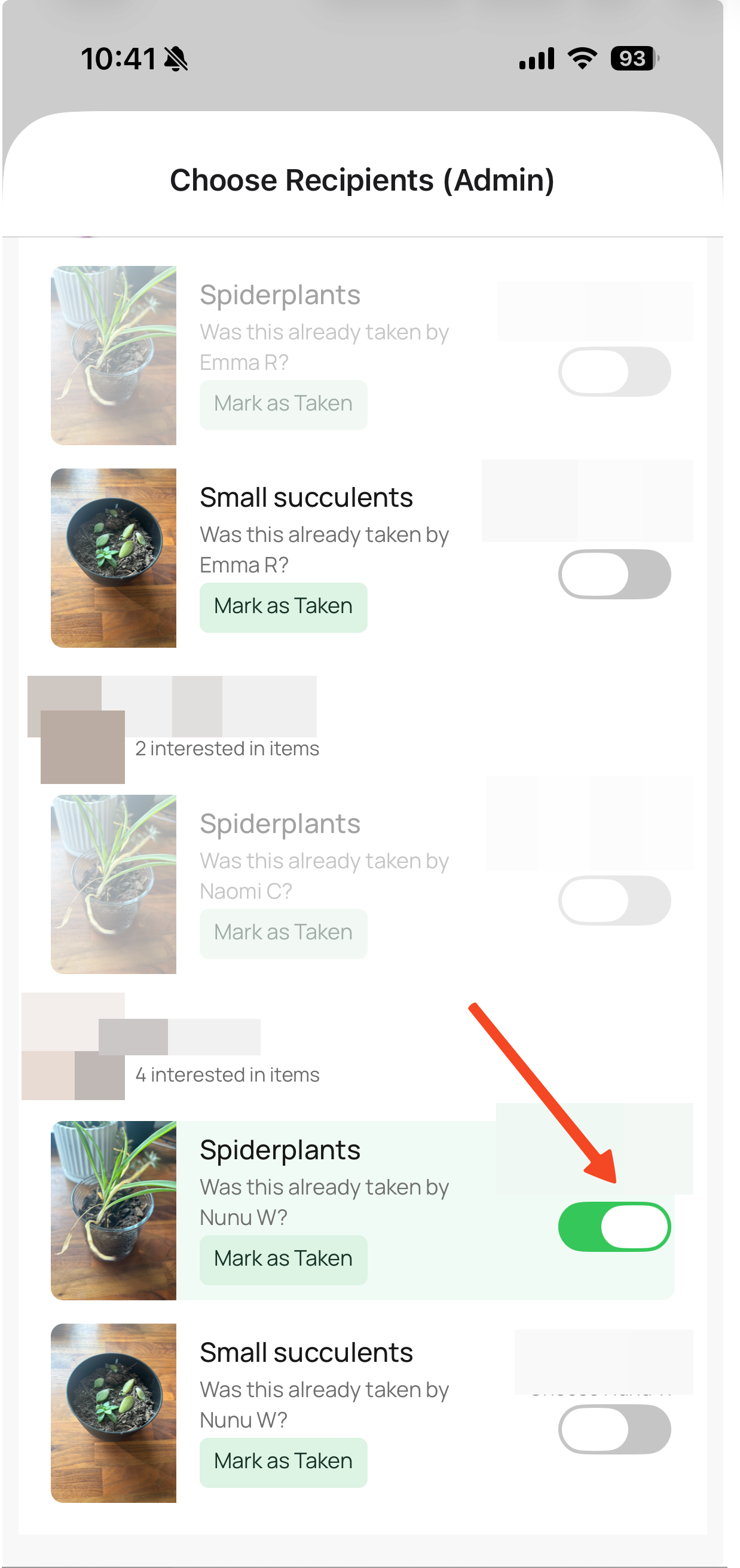
- confirm your recipients
Switch a Recipient
If a recipient doesn't get back to you
- tap the pending confirmation button from the menu
- tap switch recipient
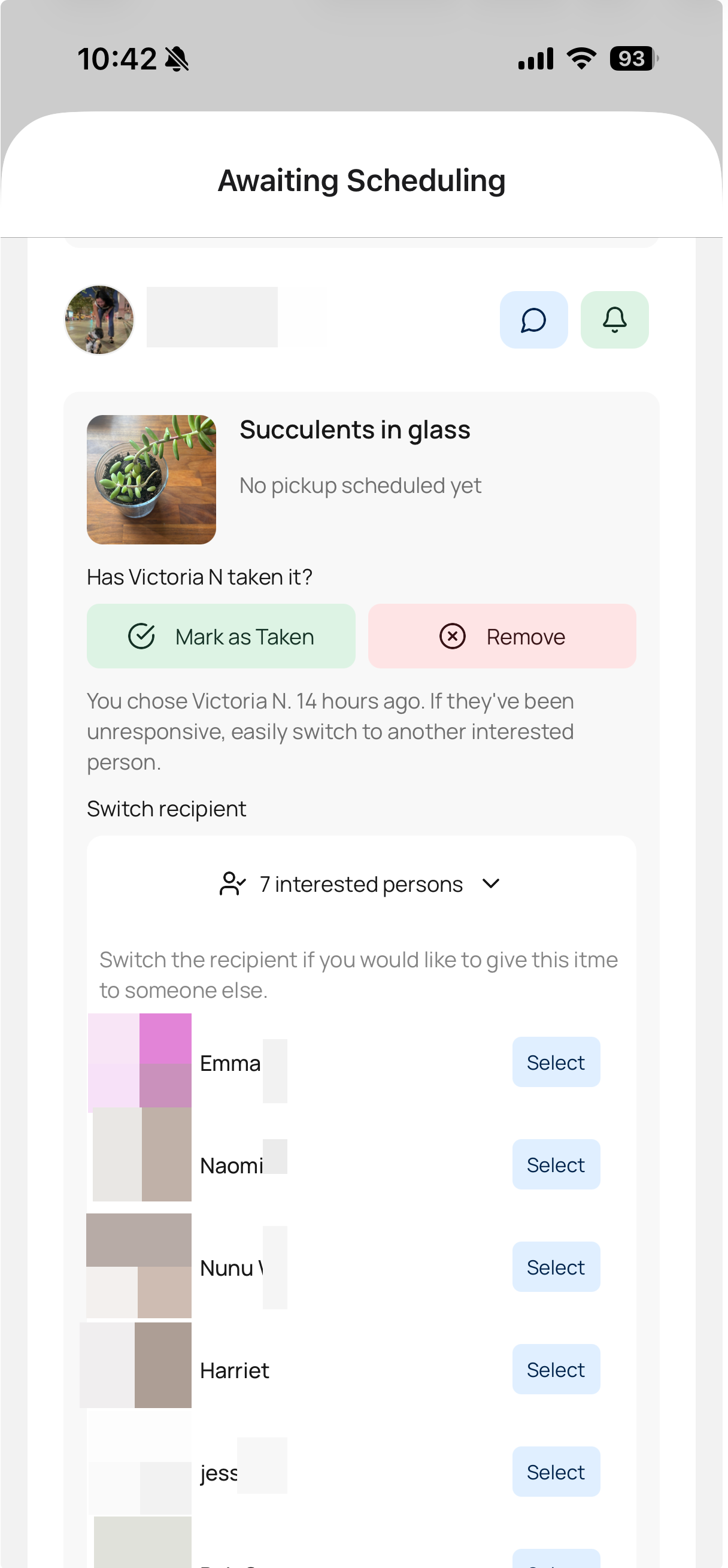
- Treasure handles the rest. It lets the previous recipient know that they are no longer chosen, and it prompts the new recipient to schedule a time.